Cloudflare Turnstile
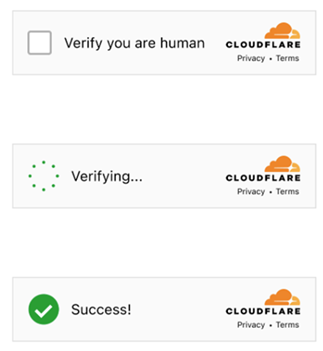
You are required to solve a regular Turnstile captcha. Please note that captchas on Cloudflare pages may look identical. See how to distinguish a regular Turnstile from a Cloudflare Challenge.
After solving the CAPTCHA, you receive a token that must be inserted into a designated field on the page. All Turnstile subtypes are automatically supported: manual, non-interactive, and invisible. Therefore, you do not need to specify a subtype for a standard captcha.
Built-in proxies are used by default — their cost is already included in the service. You only need to specify your own proxies in cases where the website does not accept the token or access to the built-in services is restricted.
If you are using a proxy, please use a proxy with username and password authentication.
After solving, you will receive a token to confirm captcha completion.
Task Type
| Task Type | Description |
|---|---|
TurnstileTask | Solve Turnstile captcha (with or without proxy) |
Request Parameters
| Parameter | Type | Required | Description |
|---|---|---|---|
type |
String | Required | TurnstileTask |
websiteURL |
String | Required | The URL of the page where the captcha is solved. |
websiteKey |
String | Required | Turnstile site key. |
userAgent |
String | Optional | Browser User-Agent. Pass only a valid UA from Windows OS. |
pageAction |
String | Optional | The action field found in the callback function when the captcha is loaded. |
data |
String | Optional | The value of the data field, taken from the cData parameter. |
proxyType |
String | Optional | http - standard http/https proxy; https - try this if "http" doesn't work; socks4 - socks4 proxy; socks5 - socks5 proxy. |
proxyAddress |
String | Optional | IP address of the proxy (IPv4/IPv6). |
proxyPort |
Integer | Optional | Proxy port. |
proxyLogin |
String | Optional | Proxy login. |
proxyPassword |
String | Optional | Proxy password. |
Create Task - Without Proxy
Request
POST https://captcha69.com/createTask
Content-Type: application/json

{
  "clientKey": "max1_YOUR_API_KEY",
  "task": {
    "type": "TurnstileTask",
    "websiteURL": "http://tsmanaged.zlsupport.com",
    "websiteKey": "0x4AAAAAAABUYP0XeMJF0xoy"
  }
}
Response
{
  "errorId": 0,
  "taskId": 407533072
}
Create Task - With Proxy
Request
POST https://captcha69.com/createTask
Content-Type: application/json

{
  "clientKey": "max1_YOUR_API_KEY",
  "task": {
    "type": "TurnstileTask",
    "websiteURL": "http://tsmanaged.zlsupport.com",
    "websiteKey": "0x4AAAAAAABUYP0XeMJF0xoy",
    "proxyType": "http",
    "proxyAddress": "8.8.8.8",
    "proxyPort": 8080,
    "proxyLogin": "proxyLoginHere",
    "proxyPassword": "proxyPasswordHere"
  }
}
Response
{
  "errorId": 0,
  "taskId": 407533072
}
Get Task Result
Request
POST https://captcha69.com/getTaskResult
Content-Type: application/json

{
  "clientKey": "max1_YOUR_API_KEY",
  "taskId": 407533072
}
Response
{
  "errorId": 0,
  "status": "ready",
  "solution": {
    "userAgent": "userAgentPlaceholder",
    "token": "0.iGX3xsyFCkbGePM3jP4P4khLo6TrLukt8ZzBvwuQOvbC...f61f3082"
  }
}
Solution Properties
| Property | Type | Description |
|---|---|---|
token |
String | Use the token in an input field or when calling a callback function. |
How to Differentiate Cloudflare Turnstile from Cloudflare Challenge
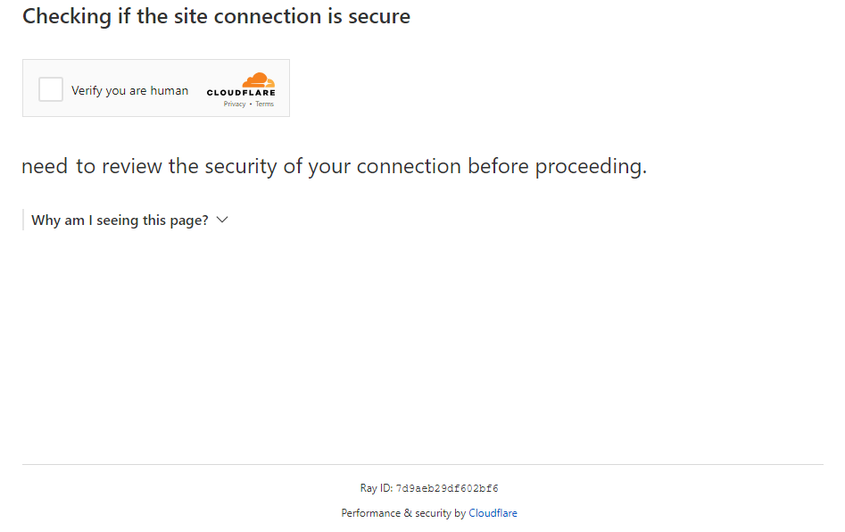
Differences between Turnstile and Challenge
Cloudflare verification types can appear in different ways.
Standard Turnstile:
Stylized variants:
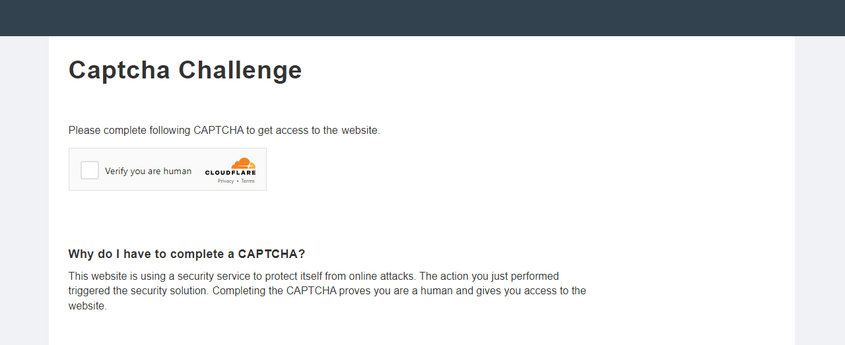
The challenge is seamlessly integrated into the website.
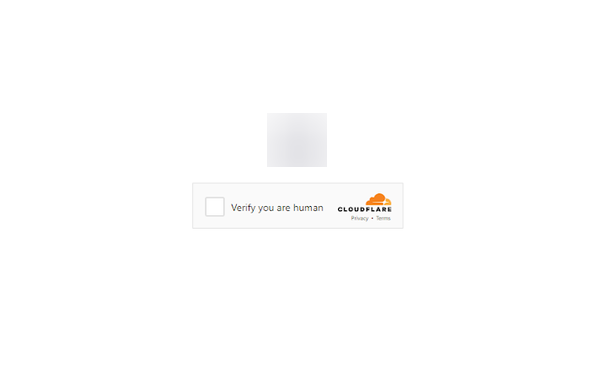
Looks like a normal Turnstile captcha, but it is actually a Cloudflare challenge.
To confirm Challenge presence, open developer tools, inspect network traffic, and check the page source for typical signs:
- The first request to the site returns a 403 status code.
- The form with id challenge-form has an action attribute containing the parameter
__cf_chl_f_tk=. - The page contains two similar
<script>tags that create new values in thewindowobject.
Finding Parameters
websiteKey
Can be found in Elements:


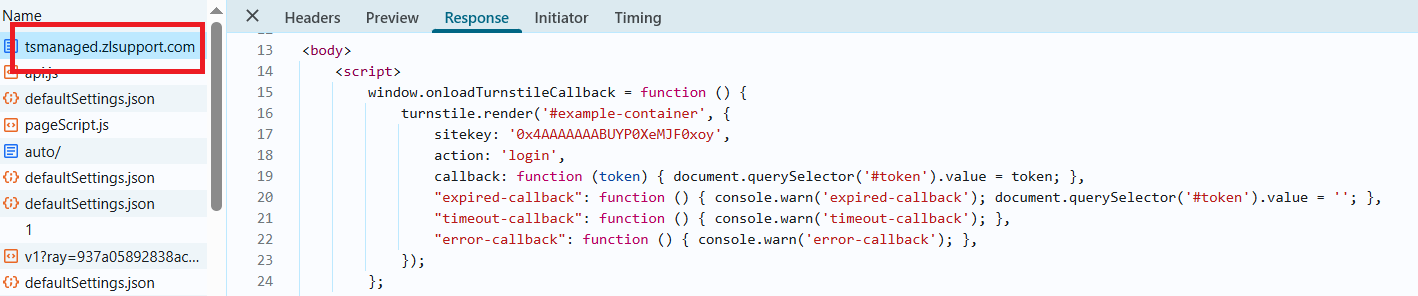
pageAction
Action and sitekey can also be found in the callback function:
Code Examples
JavaScript (Browser) - Extract Parameters
// Function to check for the presence of window.onloadTurnstileCallback
const checkTurnstileCallback = () => {
  return new Promise((resolve, reject) => {
    const timeout = setTimeout(() => reject('Callback timeout'), 30000);

    const interval = setInterval(() => {
      if (window.onloadTurnstileCallback !== undefined) {
        clearInterval(interval);
        clearTimeout(timeout);

        const callbackDetails = window.onloadTurnstileCallback.toString();
        const sitekeyMatch = callbackDetails.match(/sitekey: ['"]([^'"]+)['"]/);
        const actionMatch = callbackDetails.match(/action: ['"]([^'"]+)['"]/);

        resolve({
          sitekey: sitekeyMatch ? sitekeyMatch[1] : null,
          action: actionMatch ? actionMatch[1] : null,
        });
      }
    }, 500);
  });
};

// Try to find any element with data-sitekey
const turnstileElement = document.querySelector('[data-sitekey]');

if (turnstileElement) {
  const sitekey = turnstileElement.getAttribute("data-sitekey");
  console.log("Turnstile Sitekey (from element):", sitekey);
} else {
  console.log("Turnstile element not found. Checking via callback...");

  checkTurnstileCallback()
    .then((data) => {
      console.log("Turnstile Params (from callback):", data);
    })
    .catch((error) => {
      console.error(error);
    });
}
Python - Extract Parameters
import asyncio
from playwright.async_api import async_playwright

async def run():
    async with async_playwright() as p:
        browser = await p.chromium.launch(headless=False)
        context = await browser.new_context()
        page = await context.new_page()

        await page.goto("https://example.com")  # Replace with your website

        # Try to find an element with data-sitekey
        element = await page.query_selector('[data-sitekey]')
        if element:
            sitekey = await element.get_attribute("data-sitekey")
            print("Turnstile Sitekey (from element):", sitekey)
        else:
            print("Turnstile element not found. Checking via callback...")

            try:
                result = await page.evaluate('''() => {
                    return new Promise((resolve, reject) => {
                        const timeout = setTimeout(() => reject('Callback timeout'), 30000);
                        const interval = setInterval(() => {
                            if (window.onloadTurnstileCallback !== undefined) {
                                clearInterval(interval);
                                clearTimeout(timeout);
                                const cbStr = window.onloadTurnstileCallback.toString();
                                const sitekeyMatch = cbStr.match(/sitekey: ['"]([^'"]+)['"]/);
                                const actionMatch = cbStr.match(/action: ['"]([^'"]+)['"]/);
                                resolve({
                                    sitekey: sitekeyMatch ? sitekeyMatch[1] : null,
                                    action: actionMatch ? actionMatch[1] : null,
                                });
                            }
                        }, 500);
                    });
                }''')
                print("Turnstile Params (from callback):", result)
            except Exception as e:
                print("Error:", e)

        await browser.close()

asyncio.run(run())