reCAPTCHA v2
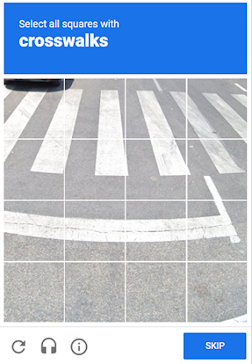
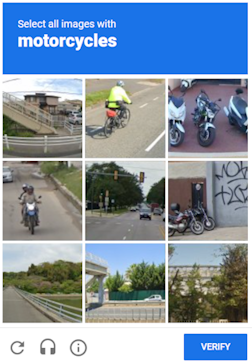
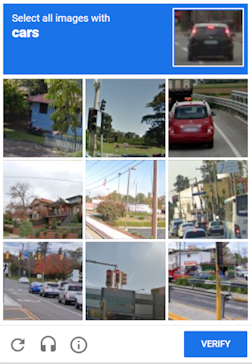
The task object contains data for Google reCAPTCHA v2 solving. To ensure the universality of the solution to this type of captcha, you need to use all the data used when automating the filling of the form on the target site, including proxies, browser UserAgent and cookies. This will help to avoid any problems when Google changes the code of its captcha.
This type of captcha might be solved a bit longer than usual image captcha, but this issue is compensated by the fact that g-recaptcha-response value we send to you is valid for the next 60 seconds after we solve your ReCaptcha2.
By default, built-in proxies are used suitable for most websites. However, if the token is not accepted by the target site, try again with your own proxies (
RecaptchaV2Task with proxy). Make sure to use the same proxies when solving the captcha and submitting the token to the site.If you are using a proxy, please use a proxy with username and password authentication.
If the reCAPTCHA v2 token is still not accepted, contact technical support.
Task Types
| Task Type | Description |
|---|---|
RecaptchaV2Task | Solve with your own proxy |
NoCaptchaTaskProxyless | Solve without proxy (uses built-in proxies) |
Request Parameters
| Parameter | Type | Required | Description |
|---|---|---|---|
type |
String | Required | RecaptchaV2Task or NoCaptchaTaskProxyless |
websiteURL |
String | Required | Address of a webpage with captcha. |
websiteKey |
String | Required | Recaptcha website key.<div class="g-recaptcha" data-sitekey="THIS_ONE"></div> |
recaptchaDataSValue |
String | Optional | Some custom implementations may contain additional "data-s" parameter in ReCaptcha2 div, which is in fact a one-time token and must be grabbed every time you want to solve a ReCaptcha2.<div class="g-recaptcha" data-sitekey="some sitekey" data-s="THIS_ONE"></div> |
userAgent |
String | Optional | Browser's User-Agent which is used in emulation. It is required that you use a signature of a modern browser, otherwise Google will ask you to "update your browser". |
cookies |
String | Optional | Additional cookies which we must use during interaction with target page or Google. Format: cookiename1=cookievalue1; cookiename2=cookievalue2 |
isInvisible |
Boolean | Optional | true if the captcha is invisible, i.e. has a hidden field for confirmation, no checkbox. If a bot is suspected, an additional check is called. |
proxyType |
String | Optional | http - regular http/https proxy; https - try this option only if "http" doesn't work; socks4 - socks4 proxy; socks5 - socks5 proxy. |
proxyAddress |
String | Optional | IPv4/IPv6 proxy IP address. |
proxyPort |
Integer | Optional | Proxy port. |
proxyLogin |
String | Optional | Proxy-server login. |
proxyPassword |
String | Optional | Proxy-server password. |
Create Task - Without Proxy
Request
POST https://captcha69.com/createTask
Content-Type: application/json

{
  "clientKey": "max1_YOUR_API_KEY",
  "task": {
    "type": "RecaptchaV2Task",
    "websiteURL": "https://example.com/captcha-page",
    "websiteKey": "6Lcg7CMUAAAAANphynKgn9YAgA4tQ2KI_iqRyTwd"
  }
}
Response
{
  "errorId": 0,
  "taskId": 407533072
}
Create Task - With Proxy
Request
POST https://captcha69.com/createTask
Content-Type: application/json

{
  "clientKey": "max1_YOUR_API_KEY",
  "task": {
    "type": "RecaptchaV2Task",
    "websiteURL": "https://example.com/captcha-page",
    "websiteKey": "6Lcg7CMUAAAAANphynKgn9YAgA4tQ2KI_iqRyTwd",
    "proxyType": "http",
    "proxyAddress": "8.8.8.8",
    "proxyPort": 8080,
    "proxyLogin": "proxyLoginHere",
    "proxyPassword": "proxyPasswordHere",
    "userAgent": "userAgentPlaceholder"
  }
}
Response
{
  "errorId": 0,
  "taskId": 407533072
}
Get Task Result
Request
POST https://captcha69.com/getTaskResult
Content-Type: application/json

{
  "clientKey": "max1_YOUR_API_KEY",
  "taskId": 407533072
}
Response
{
  "errorId": 0,
  "status": "ready",
  "solution": {
    "gRecaptchaResponse": "3AHJ_VuvYIBNBW5yyv0zRYJ75VkOKvhKj9_xGBJKnQimF72rfoq3Iy-DyGHMwLAo6a3"
  }
}
For some websites, the response may include userAgent and cookies:
{
  "errorId": 0,
  "status": "ready",
  "solution": {
    "userAgent": "Mozilla/5.0 (Windows NT 10.0; Win64; x64) AppleWebKit/537.36 ...",
    "gRecaptchaResponse": "0cAFcWeA5Y3...hF8UWA",
    "cookies": {
      "nocookies": "true"
    }
  }
}
Solution Properties
| Property | Type | Description |
|---|---|---|
gRecaptchaResponse |
String | Hash which should be inserted into Recaptcha2 submit form in <textarea id="g-recaptcha-response" ..></textarea>. It has a length of 500 to 2190 bytes. |
Finding Parameters
websiteKey (data-sitekey)
Elements tab: Look for a <div class="g-recaptcha"> element on the page. Copy the value of the data-sitekey attribute.

Network tab: Open the Network tab and reload the page. Look for a request where the k value is the data-sitekey.

recaptchaDataSValue (if used)
If the page contains a data-s attribute, find it in the HTML:

isInvisible
Network tab: If the captcha is invisible, the element will contain the attribute size="invisible".

Code Examples
JavaScript (Browser) - Extract Parameters
(() => {
  const iframeEl = document.querySelector('iframe[src^="https://www.google.com/recaptcha/api2/anchor?"]');
  const captchaUrl = iframeEl?.getAttribute('src');

  if (captchaUrl) {
    const urlParams = new URLSearchParams(captchaUrl.split('?')[1]);

    const sitekey = urlParams.get('k');
    const size = urlParams.get('size');

    const isInvisible = size === 'invisible';

    const sitekeyEl = document.querySelector('[data-sitekey]');
    const datasEl = document.querySelector('[data-s]');
    const datas = datasEl?.getAttribute('data-s');

    console.log({
      sitekey: sitekey || sitekeyEl?.getAttribute('data-sitekey'),
      datas,
      isInvisible
    });
  }
})();
JavaScript (Node.js) - Extract Parameters
import { chromium } from "playwright";

(async () => {
  const browser = await chromium.launch({ headless: false });
  const page = await browser.newPage();

  await page.goto("https://example.com");

  await page.waitForSelector('iframe[src^="https://www.google.com/recaptcha/api2/anchor?"]');

  const captchaData = await page.evaluate(() => {
    const iframeEl = document.querySelector('iframe[src^="https://www.google.com/recaptcha/api2/anchor?"]');
    const captchaUrl = iframeEl?.getAttribute("src");

    if (captchaUrl) {
      const urlParams = new URLSearchParams(captchaUrl.split("?")[1]);
      const sitekey = urlParams.get("k");
      const size = urlParams.get("size");
      const isInvisible = size === "invisible";

      const sitekeyEl = document.querySelector("[data-sitekey]");
      const datasEl = document.querySelector("[data-s]");
      const datas = datasEl?.getAttribute("data-s");

      return {
        sitekey: sitekey || sitekeyEl?.getAttribute("data-sitekey"),
        datas,
        isInvisible,
      };
    }
    return null;
  });

  console.log(captchaData);
  await browser.close();
})();
Python - Extract Parameters
import asyncio
from urllib.parse import urlparse, parse_qs
from playwright.async_api import async_playwright

def parse_recaptcha_url(url):
    parsed_url = urlparse(url)
    params = parse_qs(parsed_url.query)
    sitekey = params.get('k', [None])[0]
    size = params.get('size', [None])[0]
    return sitekey, size == 'invisible'

async def main():
    async with async_playwright() as p:
        browser = await p.chromium.launch(headless=True)
        page = await browser.new_page()
        await page.goto("https://example.com", timeout=60000)
        captcha_url = await page.locator('iframe[src^="https://www.google.com/recaptcha/api2/anchor?"]').get_attribute('src')
        if captcha_url:
            sitekey, is_invisible = parse_recaptcha_url(captcha_url)
            print({"sitekey": sitekey, "isInvisible": is_invisible})
        await browser.close()

asyncio.run(main())